


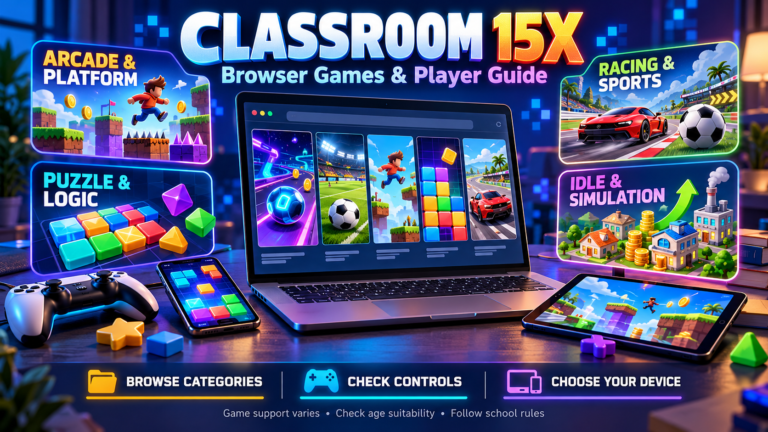
Classroom 15x is a name used by websites offering games you can open in a browser. On Classroom15x.com, the library ranges from puzzles and sports to driving, arcade, and multiplayer games. Familiar listings include Retro Bowl, Slope, and Stickman Hook, and the site advertises free play without downloads.
Players can browse categories or explore featured lists to find something that interests them. Before starting, it helps to check the controls, device requirements, and content of the individual game. This guide covers those practical details, along with accounts, advertising, privacy, and what “unblocked” means for access.
Understanding Classroom 15x and Its Gaming Focus
The gaming focus becomes clear from the way Classroom15x.com is organized. Its homepage highlights New Games, Hot Games, Rising Stars, and Random Games, with genre categories providing another way to browse. Individual game pages include descriptions and control instructions.
The collection caters to different interests. Sports and simulation titles sit alongside puzzles, driving challenges, arcade games, and horror. This variety means the experience depends heavily on the game selected. Reading an individual listing helps visitors understand the activity, controls, and content before deciding whether it suits them.
Why Some Pages Describe an Educational Model
Classroom15x.com publishes an article describing the name as an educational model involving digital tools, personalized learning, gamification, and blended teaching. It presents “15x” as a goal of improving the educational experience fifteenfold. This helps explain why searches return both gaming pages and education-focused descriptions.
The article provides no cited study demonstrating that improvement or detailed documentation establishing a standardized program. Its references to AI tutors, analytics, and immersive technology describe the proposed concept. They do not establish that these features are available through the website’s game library. Readers should assess those educational claims separately from the games offered.
Classroom 15x Compared With Google Classroom
Google Classroom is part of Google Workspace for Education. Teachers use it to organize classwork, distribute assignments, grade submissions, and provide feedback. Its features support teaching, communication, and the management of students’ work.
Classroom15x.com focuses on entertainment through browser-game categories, featured lists, and individual game pages. The similar name does not establish that Google operates or endorses the gaming website. For homework, course materials, or teacher announcements, follow the Google Classroom link provided by your school. When looking for games, assess the gaming website’s content, access requirements, and policies separately.
Classroom15x.com and Other Websites Using the Name
The name appears across several web addresses, including Classroom15x.com, Classroom15x.net, and Google Sites pages. The .com website organizes games into categories and featured lists. The .net site and Google Sites pages present their own collections and descriptions of the gaming experience.
Assess each address individually. A shared name or familiar game title does not establish common ownership, identical content, or matching privacy practices. Check the full web address before bookmarking or sharing a page, and review the policies attached to that site. Claims made by one version should not automatically be applied to another.
Finding Games Through Categories and Featured Lists
The homepage offers two ways to browse. Genre links such as Sports, Arcade, Driving, and Puzzle narrow the collection by interest. Featured sections, including New Games, Hot Games, Rising Stars, and Random Games, provide another route to individual titles.
If a category seems sparse, check the All Games page. The homepage notes that some games are still being organized into categories, so the broader list may include titles missing from a particular section. Open a game’s page to read its description and control instructions before starting.
Arcade, Puzzle, and Platform Games
Arcade games often emphasize timing, movement, and quick retries. The Arcade category lists titles such as Crossy Road, Doodle Jump, and Flappy Bird. The Puzzle section includes 2048, Hexagon Puzzle, and Home Sheep Home, offering different styles of problem-solving.
Platform games focus on navigating levels and overcoming obstacles. OvO’s listing, for example, describes running, jumping, and moving through parkour-style stages. Categories can overlap, so browsing more than one section may reveal games that suit your preferred pace, whether you enjoy careful planning or fast reactions.
Racing, Driving, and Sports Games
The Driving & Biking category includes Drift Hunters, Drive Mad, Eggy Car, and Moto X3M Winter. PolyTrack also appears in the wider library, with a listing describing timed races and track creation. These options offer different vehicle challenges, from handling obstacles to improving a finishing time.
Sports listings include Retro Bowl, Soccer Random, Basketball Stars, and 3D Bowling. Some titles suit a quick match, while Retro Bowl also involves managing a football team. Choose according to the type of session you want, and check the selected game’s controls and available modes.
Idle, Clicker, and Simulation Games
Idle and clicker games typically involve collecting resources, buying upgrades, and expanding a system over time. Classroom 15x’s Idle & Clicker section includes Cookie Clicker, Clicker Heroes, Idle Ants, and Idle Mining Empire. The mining game’s description focuses on assigning workers, transporting resources, and automating production.
Simulation listings cover a wider mix, including Monkey Mart, Pou, BitLife, and City Coach Bus Simulator. Some titles appear in several categories because their mechanics overlap. Choose according to the activity that interests you, whether that involves managing resources, running a virtual business, or exploring a character’s life.
Single-Player, Two-Player, and Multiplayer Options
Single-player titles offer individual challenges, while two-player games may let friends share a device. Online multiplayer connects players through an internet connection. Check the game’s available modes, since a Multiplayer category can include different arrangements for playing together.
Tank Trouble’s listing mentions playing against friends or an AI opponent. Smash Karts is described as an online arena game involving other players. Before arranging a session, check player limits, controls, and any room or account requirements in the version you open. This helps you choose a game that supports your intended setup.
Familiar Titles: Retro Bowl, Slope, and Stickman Hook
Retro Bowl combines American football with team management. Its listing describes recruiting players and managing the squad, giving players decisions to make between matches as well as on the field.
Slope focuses on steering a rolling ball along a 3D track while avoiding obstacles and edges. Stickman Hook uses hooks and timed releases to swing a character through levels. Together, these titles offer three distinct styles: team strategy, fast directional control, and movement built around momentum. Choose according to whether you prefer managing a team, chasing a score, or completing stages.
Reading Game Descriptions and Checking Controls
On Classroom 15x, a game’s description introduces its objective and general style. The separate controls section tells you which inputs to try. For example, OvO lists arrow keys, while Stickman Hook lists Space or mouse controls.
Some pages provide less detail. Tank Trouble’s listing directs players to controls shown inside the game. Read those prompts or any tutorial before starting. Try the basic actions first, such as moving, jumping, or selecting items, and check how to restart or pause if those options are available. Follow the instructions displayed by the version you open.
Free Access, Downloads, and Account Requirements
The Classroom15x.com homepage advertises free browser games and says downloads or installations are unnecessary. Visitors can browse the collection, choose a title, and follow the instructions on its game page.
The website also offers account features. On the Retro Bowl page, the comments section is restricted to members and includes Login and Sign up links. That stated registration requirement applies to commenting. For gameplay, check the selected title’s start screen and any account prompts it displays, since requirements should be assessed for the particular game or feature being used.
Chromebook and Desktop Compatibility
Classroom 15x sites promote browser-based play, and the Google Sites version specifically advertises Chromebook support. Keyboard controls appear in listings such as OvO, which uses arrow keys, and PolyTrack, which lists WASD or arrows for driving.
Compatibility depends on the individual game, browser, and hardware. Games using WebGL, a technology for browser graphics, also need suitable graphics hardware. Try the selected title on your device and check whether it loads and responds to controls. For school-managed equipment, follow the school’s access rules and ask its support team about restrictions.
Playing on Mobile Phones and Tablets
The Mobile-Friendly category provides a starting point for phone and tablet users. Its listings include 2048, Crossy Road, Suika Watermelon, and Idle Mining Empire. The website presents this section as a collection of games intended for browser play on touchscreen devices.
Check the individual game’s touch instructions. Suika Watermelon, for example, describes tapping to drop a fruit into the container. Make sure the playing area and buttons fit comfortably on your screen. Where supported, changing orientation may improve visibility. Follow the in-game prompts and confirm that essential actions respond properly to taps.
What “Unblocked” Means for Network Access
On gaming websites, “unblocked” is an access claim, not a guarantee that every network will allow a game. Classroom15x.com uses the term to promote its browser games. Actual access depends on the restrictions applied to the device and network being used.
Google’s management tools, for example, let administrators allow or block specific web addresses on managed browsers and ChromeOS devices. School device policies can also continue to apply at home. If an administrator block message appears, the school’s IT team can clarify which sites are permitted and whether access is available.
Checking Age Suitability and School-Friendly Claims
The homepage calls its collection “school-friendly” and also lists Shooting and Horror categories. Treat that phrase as the website’s description, then assess each title’s themes, imagery, and actions for the player’s age and the school’s requirements.
Where an ESRB rating is available for the matching game and version, read the content descriptors and interactive elements alongside the age category. These explain considerations such as violence, language, purchases, or interaction with other users. For younger players, an adult can also review the game page and its advertisements before play.
Advertisements and External Game Links
Game pages include areas labelled “Ads” alongside descriptions, controls, and related titles. The published terms also say the website may contain links to other sites, applications, and platforms, whose content it does not control.
Take a moment to distinguish the selected game’s controls from advertising or promotional links. Check the destination address when a link opens a different page. The external site’s own terms, privacy practices, and account requirements matter from that point. Return to the original game page if the destination does not match what you intended to open.
Privacy Policies, Cookies, and Personal Information
Classroom15x.com’s privacy policy describes log data such as IP addresses, browser types, visit times, and referring pages. It also discusses cookies for preferences and advertising technologies used by third-party partners. Details submitted through contact or account features may include personal information.
The policy says the website does not knowingly collect personal information from children under 13 and asks parents to contact it about such submissions. Users can manage cookies through browser settings. Review the notice for the exact domain you are visiting, since similarly named sites and external advertisers may have different practices.
Why Games May Not Load or Run Smoothly
If a Classroom 15x game stays blank or freezes, possible causes include an outdated browser, connection trouble, or settings that prevent required scripts from running. Google’s guidance also identifies extensions and stored browser data as possible sources of problems.
Start by reloading the page, checking the connection, and updating the browser where permitted. Games using WebGL also depend on compatible graphics hardware. Note any error message and check whether another title loads. If the message identifies an administrator block, school support can clarify the restriction.
Planning Short Gaming Breaks Within School Rules
Check whether gaming is allowed during the particular break or free period. The Google Sites version of Classroom 15x advises saving games for breaks or after school and checking with a teacher before playing.
Choose a game that fits the time available. A short puzzle or single round may be easier to finish than an extended multiplayer session. Set an end time, keep sound at an acceptable level, and leave a moment to close the game and prepare for the next lesson. Follow any rules covering shared equipment, headphones, and permitted websites.
Practical Benefits for Casual Players
Classroom 15x brings several styles of browser gaming into one collection. Categories help narrow the choice, while featured lists introduce titles a visitor might otherwise miss. The website advertises free play without downloads, making it convenient to explore games during available leisure time.
Descriptions and control notes give newcomers a starting point, and related listings offer more options after a game catches their interest. Players can explore puzzles, sports, driving, and arcade challenges according to their mood. Returning visitors can also browse the New Games section when looking for something different to try.
Limitations of the Game Library and Website Information
The website acknowledges that game categorization is still in progress, so a genre page may be incomplete. Control guidance also varies: some pages list specific keys, while Tank Trouble directs players to instructions inside the game.
Supporting information contains inconsistencies too. The terms reviewed for this guide name Classroom15x.com but also refer to YEXGAMES.co, leaving the document’s identification of the website unclear. Use the collection to discover games, and verify important details about a title’s version, controls, and publisher before relying on its listing.
Frequently Asked Questions
What is Classroom 15x?
The name is used by browser-game websites. Classroom15x.com offers listings covering arcade, puzzle, sports, driving, simulation, and multiplayer games.
Is Classroom 15x connected to Google Classroom?
They serve different purposes. Google Classroom manages educational activities and assignments, while the reviewed gaming sites offer browser games. Similar names do not establish Google affiliation.
Is Classroom 15x free to use?
Classroom15x.com advertises its browser games as free to play. Check the specific website and any external destination for their own access conditions.
Do its games require downloads or an account?
The website advertises play without downloads. Account requirements depend on the feature. For example, posting comments on its Retro Bowl page requires membership.
Can you use Classroom 15x on a Chromebook or phone?
The Google Sites version advertises Chromebook support, and Classroom15x.com has a Mobile-Friendly category. Check the selected game’s controls and whether it works on your device.
Does “unblocked” mean a game is allowed at every school?
No. Schools can restrict websites through device and network policies. The label guarantees neither permission to play nor access on a particular school device.
Are all Classroom 15x games suitable for children?
Assess each title individually. The collection includes shooting and horror alongside puzzles and sports. Review the game’s content, advertisements, and interaction features for the intended player.
Is Classroom 15x a proven educational model?
The education-focused article describes a fifteenfold improvement as a goal but cites no study demonstrating it. That page alone does not establish a proven educational program.
Conclusion: Understanding Classroom 15x Before You Play
Classroom 15x brings together browser games ranging from puzzles and sports to driving and arcade challenges. Categories and featured lists can help you discover titles that match your interests.
Before playing, check the individual game’s controls, device support, and content. Review account and privacy details when relevant, and follow the rules applying to your device and network. These checks help you choose a game that suits the player, the setting, and the time available for a break.
